
Integration Details
Evolia integrates with ADP Worfroce Now to automatically sync employee profiles and push Evolia's timesheet into ADP.
Approved Paid Leave Requests
- Seamlessly sync your time off. Approved paid leave requests in Evolia flow directly into ADP Workforce Now® during payroll exports, ensuring leave balances are always accurate and up-to-date without manual data entry.
ADP systems integrated
- ADP Workforce Now
ADP Workforce Now Next Generation
Data flow
- Bi-directional data exchange
Data sync frequency
- Every 4 hours and on demand
Data fields
- Evolia will read the following fields from ADP:
Last Name
First Name
Email
Phone
Hiring Date
Max Hours Per Week
Hourly Wage
Status (termination)
Payroll File Number
Work Assignment Organizational Unit
Payroll Group Code
Work Assignment Job Code
Work Assignment Primary Location
Leave balances - Evolia will send the following payroll values to ADP:
Earning inputs for regular times
Earning inputs for overtime times
Earning inputs for premiums
Earning inputs for leave requests
Earning inputs for expenses
Smart Scheduling
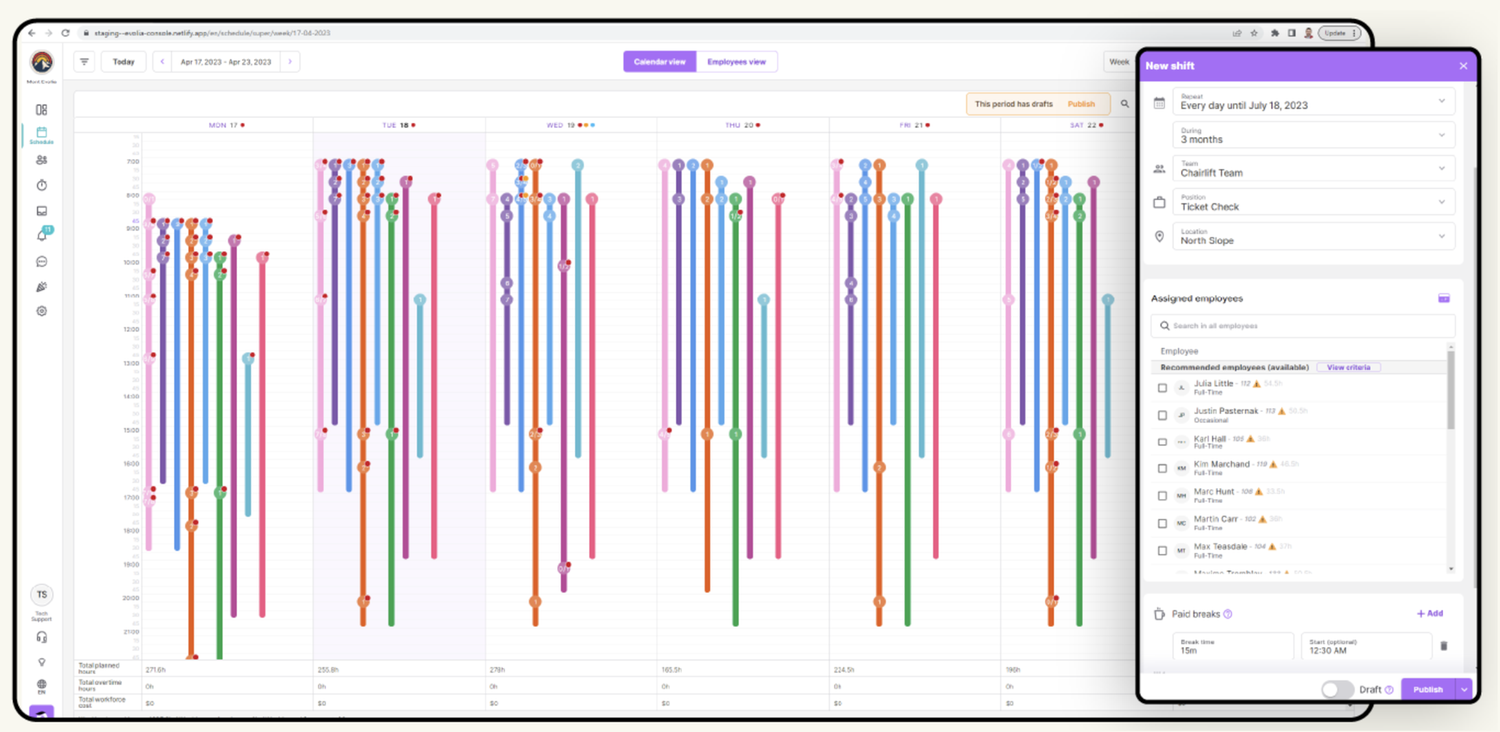
Empower your team to create smart schedules that work. Schedules aren’t just names in boxes – they’re your employees’ lives and the backbone of your business. We believe that manager-worker collaboration is key to building efficient schedules. Set your rules, get workers’ input, automate communications and assignments in real-time and make adjustments when needed. All from Evolia’s self-service portal.
BUILD YOUR SCHEDULES
- RECURRING & ROTATING SHIFTS: Effortlessly schedule up to months in advance. Assign and publish shifts as you go.
- FLEXIBLE TEMPLATES: Our flexible template solutions are a major flex. Build various scheduling templates and apply them to upcoming weeks as you build-out based on availability.
- Define your business needs. Say goodbye to scheduling headaches. Streamline your processes.Translating your needs into schedules is no easy feat. But once you pin down a routine, it is usually somewhat repetitive. Evolia offers tools to set your schedules’ template, build a framework for upcoming months, and make necessary adjustments along the way. With flexible and powerful scheduling tools, you won’t have to waste time building the same schedules over and over again.
- OPEN SHIFTS: Set your needs, define assignment priorities, and publish! Workers can view and select the shifts they want to work.
ASSIGN YOUR SHIFTS
- Find the perfect person for the job. Automate employee scheduling with our powerful and intuitive assignment tools. Easily automate the staff scheduling process with our powerful and intuitive assignment tools. Access advanced tools like auto-assignment, advanced invitations rules, and availability management. If any schedule requires customizations, managers and workers can benefit from Evolia’s self-scheduling features.
- AUTO-ASSIGN: Build open schedules, select the automated priority you want, and let Evolia recommend schedules. Not happy with the result? Adjust as needed, or try a different assignment pattern.
- CUSTOM INVITATION FLOWS: Assigning shifts the way you want. Replicate union agreements. Invite employees to take shifts in your desired order, and select the best candidate from those interested.
- AVAILABILITIES & ABSENCE PROOF: Avoid scheduling conflicts: employees can enter their own availability and constraints.
MANAGE SHIFT CHANGES AS THEY HAPPEN
- Adjust schedules on-the-go. Life happens. Don’t let it impact your HR operations. Eliminate the hassle of shift management with Evolia’s automations. Our powerful tools including Seamless Shift Exchange, Smart Punch Approval, and Automated Premiums & Overtime Allocations automate key tasks, so you can focus on what matters most.
- REPLACEMENTS & SHIFT SWAPS: Empower your employees to request shift exchanges and replacements as needed. Automatically notify candidates and approve as needed.
- INTEGRATED LEAVE MANAGEMENT: Centralize leave requests. Evaluate their impact on schedules and automate the replacement processes once approved.
- AUTOMATED PREMIUMS & OVERTIME ALLOCATION: Track costs as schedules change. Identify issues and adjust schedules proactively.
Time and Attendance
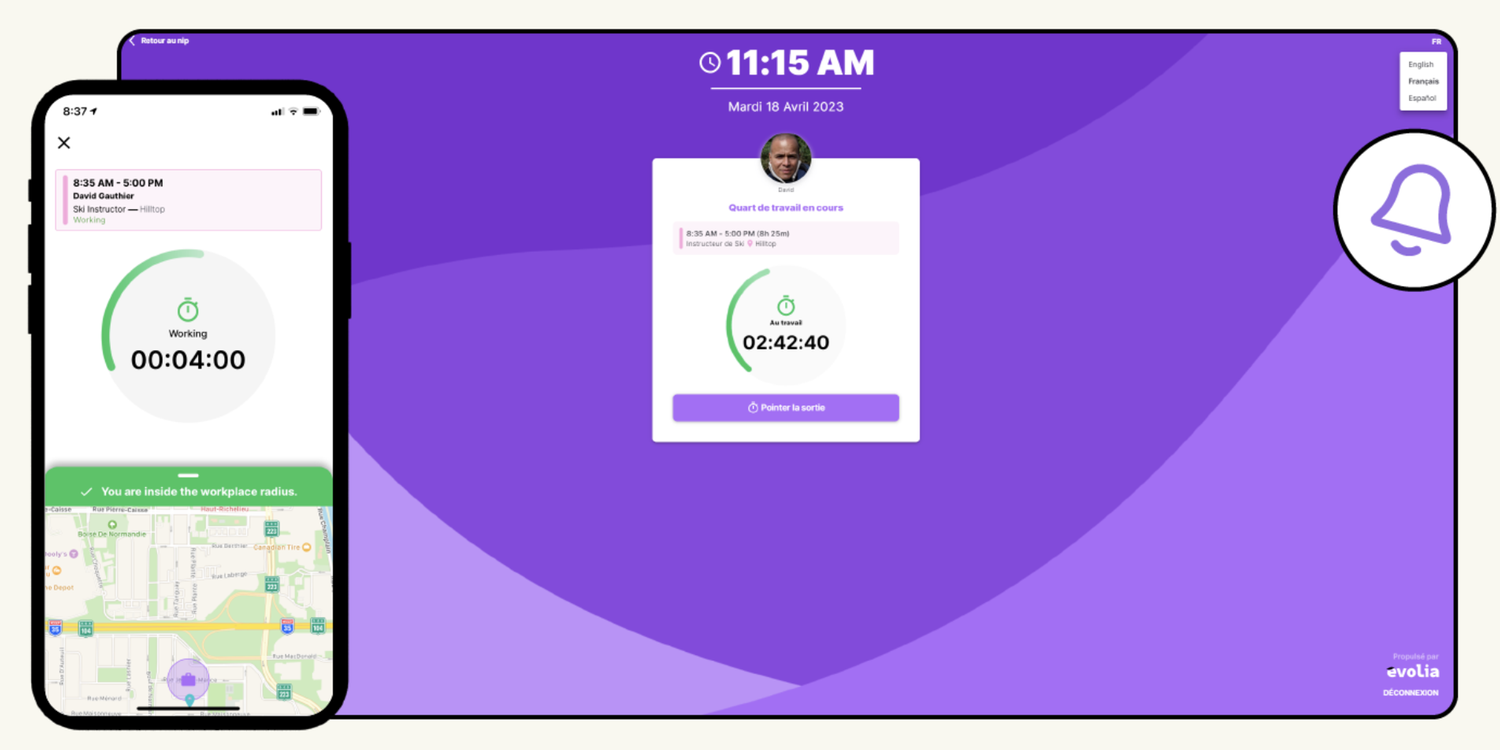
Smarter time clocks & a single-click payroll process. Employees can easily log their time according to your set business rules. Automatically set geofenced mobile clocking, fixed punch terminals, or simple timesheets. Send it to payroll in one click!
TIMETRACKING
- COMPATIBLE WITH MOST BIOMETRIC TERMINALS: Already set up, but there is something missing that you can’t put your finger on?
- FIXED WEB-BASED CONSOLE: Our web-based punch console is easy to set up and can’t be tampered with.
- GEOFENCED MOBILE CLOCK: Track employee location during clock in/out using geopositioning. Capture their phone location to verify employees’ location without following them throughout the shift.
- Leverage Evolia’s workforce management solution to monitor the presence of your team and departments. We have a GPS tracking feature that is activated as soon as your employee clock-in on premises which proves their presence. Rest assured privacy is respected.
SMART TIMESHEETS
- DETAILED TIME & ATTENDANCE BREAKDOWN: Time should be broken down. Not managers! Properly optimize all cost centers; regular schedules, overtime, premium and vacation.
- AUTOMATIC TIMESHEET COMPLETION: Free up your employees’ valuable time from the task of filling timecards. Instead, streamline the process by automatically populating them with planned shifts.
- Automated timesheets you don’t have to read…This just in; Evolia allows you to automate your most frequent adjustments, validate the remaining discrepancies, and generate your payroll in a single-click. Rest assured that every expense will be journalised in good order.
Gone are the days of manually entering timecards. So much pressure to be accurate and precise, adjust to changing schedules, and break down to process payroll…
FLEXIBLE TIME ADJUSTMENTS
- Your rules, their time. Adjusted in seconds.
Making sure payroll gets processed error-free doesn’t have to be such a time sucker.
Want time-entries to be rounded to 5 minutes? Breaks to be applied (despite being fully taken)? Early arrivals to be paid out up to 10 minutes more?
Whatever your rules, we’ll apply them automatically where applicable so your managers only have to focus on adjusting actual issues. - CLOCKING NORMALIZATION: Use our smart time-clocking feature to track your original clocking times and avoid timesheet adjustments. Adjust timesheets on your own schedule.
- OVERTIME TRACKING: Calculate overtime in real-time! Stay a step ahead of unplanned cost increases.
- CUSTOMIZABLE PREMIUMS: Spruce up some shifts to make them more attractive. Add premiums in your desired format, set application rules, and audit them from your timesheets.
VALIDATION & PAYROLL
- PRECISE EXPENSE MAPPING: Manage expense reports, validate, and transfer to your payroll alongside other payout information.
- MULTIPLE PAYROLL INTEGRATION: Connect Evolia’s timesheets to your payroll system, and auto-generate.
- 2-STEP VALIDATION PROCESS: Your manager confirms irregular time-entries. Your payroll team double-checks and locks them in for submission.
- Payday should feel ‘YAY’ - not nay.
Processing payroll is a repetitive yet essential component of your business. We understand that mistakes big and small can be quite costly. Evolia’s software helps teams save time and dodge robust processes.
Our system automatically approves regular times, managers review discrepancies, and payroll admins validate and lock all approved times before sending to payroll via multiple connectors.
Payroll Processing Automation
Set your rules. Let Evolia normalize timesheets and count on a number of integrations to transfer error-free data to your ADP payroll in a single click.
Absence Management
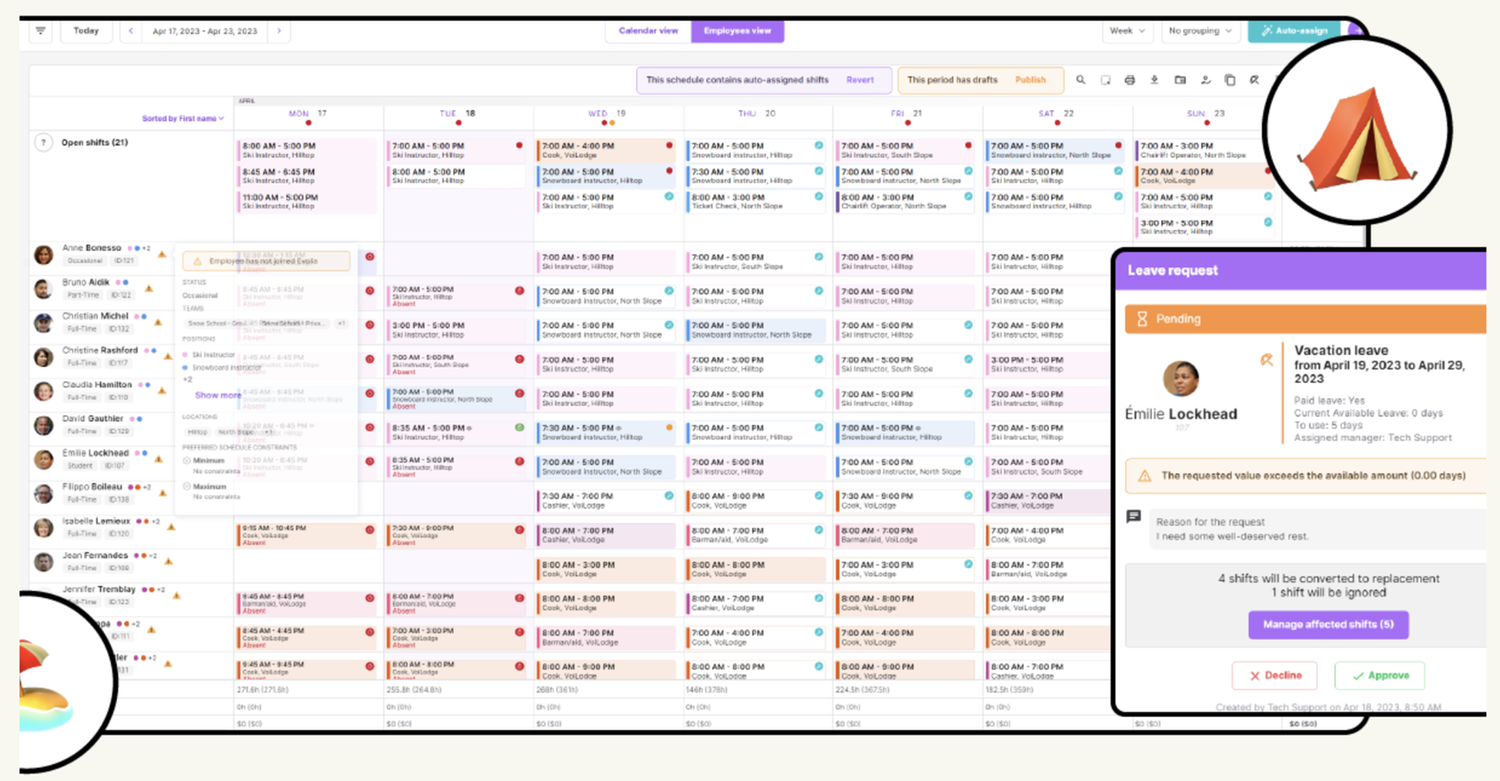
Don’t “ghost” absence requests. Managing workforce leave request is more than simply approving vacation time. Prioritize requests, track time banks, and reassign all unattended shifts in a single integrated process.
CENTRALIZE AND TRACK LEAVES
- LEAVE REGULATIONS: No more missed employee time off requests that may cause labor regulatory issues or workplace shortages.
- Be smart about leave management. Stay up-to-date while prioritizing leave requests. From Evolia’s schedule, you can track availability and time banks, worker’s vacation requests, and the impact on your capacity.
- DYNAMIC TIMEBANKS: Set timebanks in Evolia, or connect them to your payroll to get updated accruals after each pay.
- TRACK & PRIORITIZE REQUESTS: Remain fair and unbiased with your team’s leave requests. Prioritize based on seniority, effective-date of submission.
REORGANIZE SCHEDULES & PAYROLL
- Don’t leave any shift unattended. Your business can’t stop because workers took time off. And you shouldn’t have to double your scheduling workload each time to accommodate either. As you approve leave requests, decide how shifts should be handled. Evolia will automatically modify them as you go. Once approved, leaves are automatically added to your timesheets and transferred to payroll alongside your team’s regular hours.
- SET SHIFTS AS NEEDED: Once your employee’s leave request has been approved, you can find a replacement, reassign, cancel or leave it be. The choice is yours, the work is ours.
- SET PAYROLL STRAIGHT: Map leaves and absences to your paycodes. Synch banks and transfer vacation time to payroll through your Evolia timesheets.
- SECURE SHARING: Refer to your schedule for immediate tracking of your team’s availability. See who’s away and available to measure your team’s capacity.
CALCULATE HOLIDAY PAYOUTS
- WORK-BASED INDEMNITIES: Pay employees a percentage of what they worked in the days prior to their holidays.
- There’s no place like Evolia for the holidays! Your holidays should never be spent adjusting payroll or fixing accidental double-bookings. Decide your holiday payout rules. Assign them to your employees and group as needed, and let holiday indemnities get calculated. All calculations can adapt to the most recent hours worked by the employee before the set dates.
- LOCK-IN SCHEDULES: Automatically reassign shifts and lock-in schedules so that your team can fully enjoy their holidays.
- FIXED PAY: Fixed pay Set a fixed number of hours to pay your team for their holiday.
Task Management
Make sure all tasks get done in due time using pre-populated checklists and add ad hoc tasks to your shift so everyone knows what they’ve got to do. Need help onboarding newcomers? Leverage task lists to ensure employee training as well!
FULLY-CUSTOMIZABLE TASKS
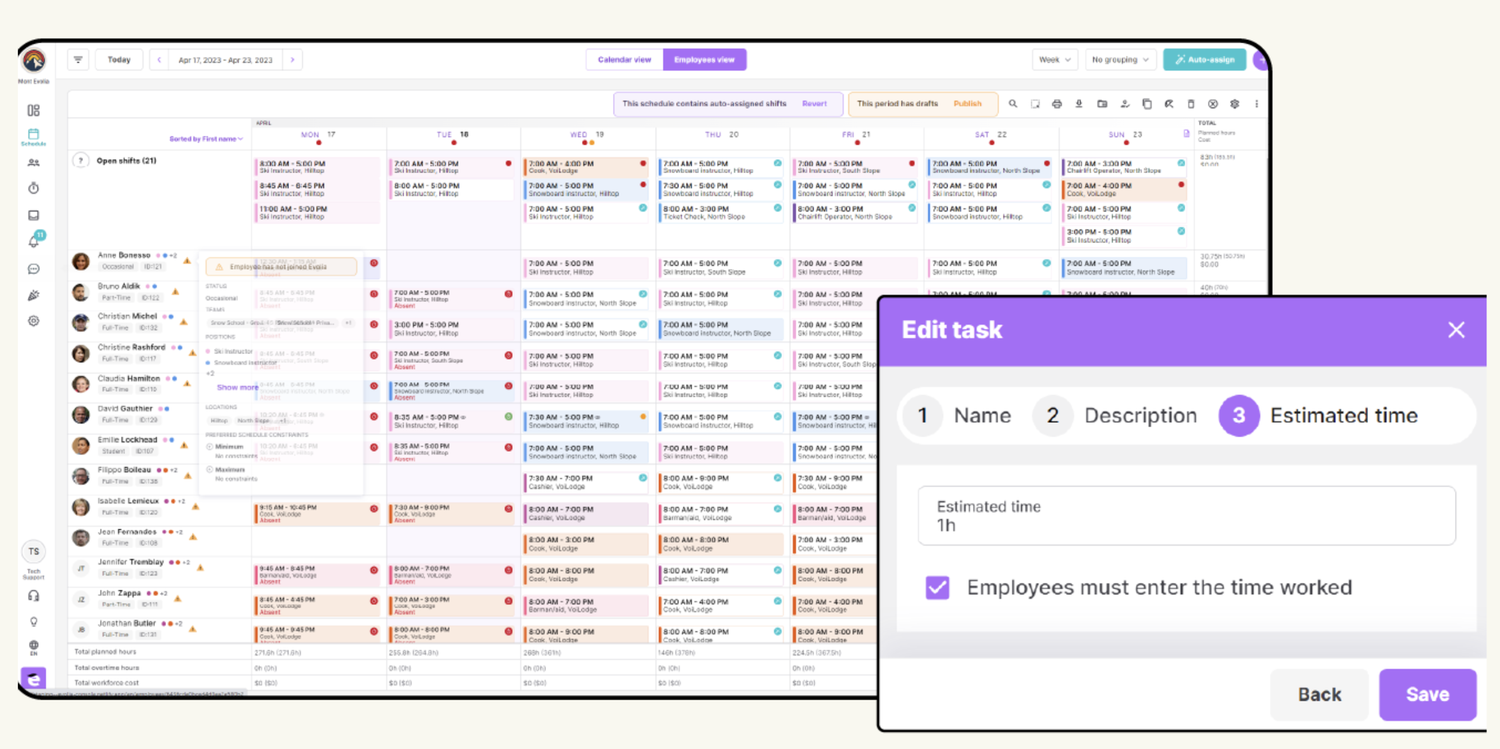
- TASK TIME TRACKING: Establish a duration estimation for logged time, and instruct workers to record the actual time taken for each task upon completion. Analyze results to increase your labor forecast precision.
- PRECISE TASKS: Create as many tasks as needed. Add attachments, descriptions, and links to each one to keep your team in the know.
- Create your task library: Create all required tasks once to structure your team’s work. Those tasks can then be applied to individual shifts, assigned through advanced rules and even leveraged for your team’s training and onboarding.
PRESET TASK LISTS
- ASSIGNMENT RULES: Assign tasks lists to shift based on its team, position, location and time.
- CUSTOM LISTS: Group recurring tasks into lists to easily add them all to the different shifts you create.
- Get everything sorted and apply as needed. Need your staff to follow a regimented routine? Perhaps your final departing cashier is required to lock the doors or clean the windows every other Monday…Arrange recurring tasks into lists, and automatically assign them to shifts based on context and position. Adjust as needed on an ad hoc basis for additional flexibility.
TRAINING MADE SIMPLE
- Organize training to follow your progress. Create training task lists. Document each one with attachment and video links and make sure your new trainees get through each required step.
- FOLLOW YOUR PROGRESS: Get your employees to check each step followed and track their progression as they go through their training.
- PRESET TASK LISTS: Segment and document training steps once and add them every time you’ve got someone new on board.
Team Communications
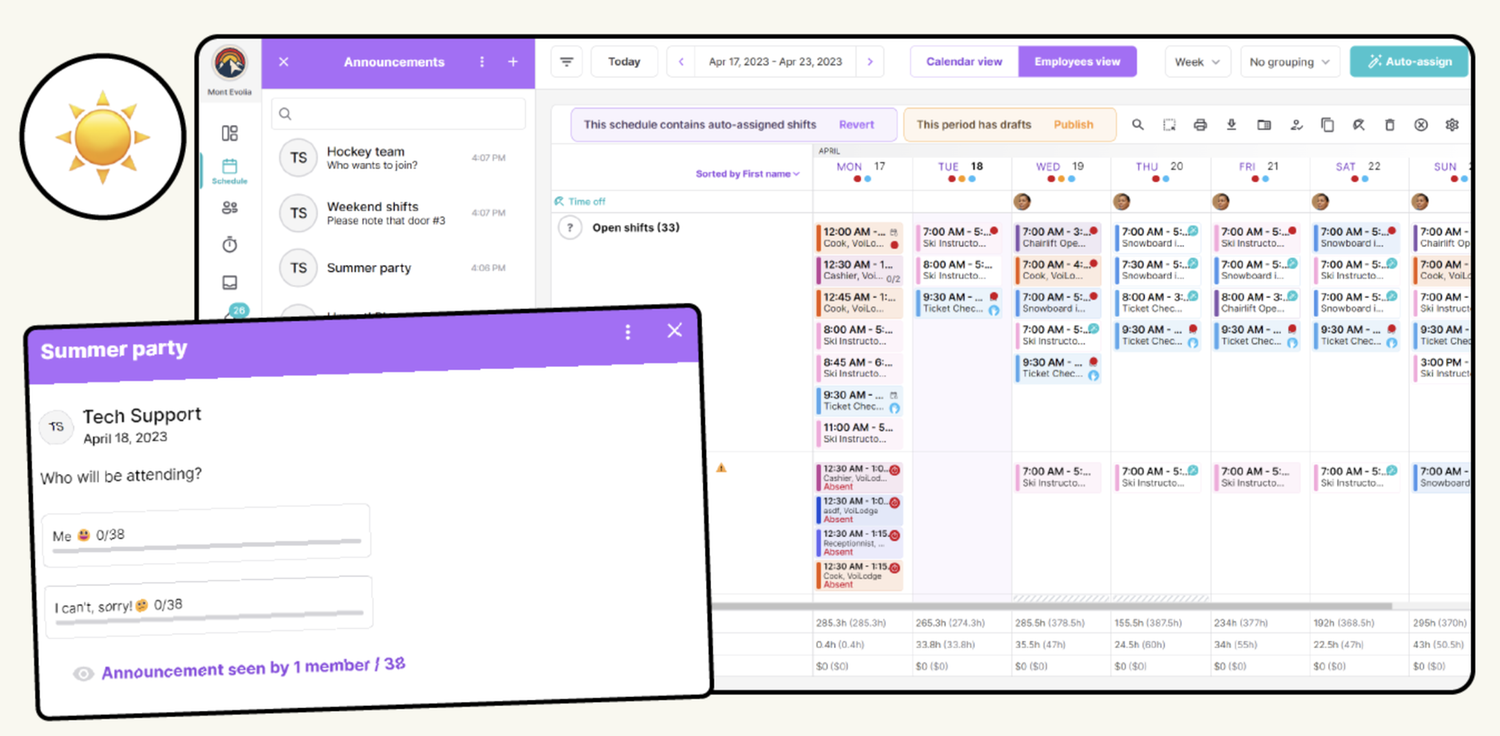
Always have the right information handy! HR operations start with your people, and perform based on your management skills. Organize your team’s communications on a single platform with instant-messaging, survey, file sharing and more.
TEAM BASED INSTANT MESSAGING
- SHARE ANYTHING SECURELY: Add emojis, pictures and attachments to show engagement and support the discussion. Get read receipts to confirm the group saw your message.
- CREATE DYNAMIC GROUPS: Open up a discussion with colleagues who share relevant roles, teams, and locations. Give a warm welcome to newcomers as they can also automatically join in.
- CUSTOMIZE MESSAGING ACCESS: Limit messaging to managers and their employees. Lock it or leave it open for everyone.
- Keep the lines of communication open with key players. Create one-on-one or group conversations. Invite new colleagues to the relevant groups, and share thoughts, information and attachments right within your HR solution.
SHOUTOUTS & SURVEYS
- FAST & SIMPLE INFORMATION SHARING: You’ve got mail! Ensure messages are received. Use shoutouts to make sure announcements get seen. Send new policies, directions or company news and disable comments from colleagues to avoid interference. Conduct surveys to collect feedback from your team and make improvements.
- NO-FUSS COMMUNICATIONS: Cut the formalities of sending a mass email. Immediately share critical information with select groups of your choosing. It can be viewed directly on everyone’s home screen.
- FLEXIBLE SURVEYS: Create surveys to cast a vote, or get people to confirm they read important files you shared. Keep track of feedback, and follow-up as needed.
FLEXIBLE DOCUMENT SHARING
- EMPLOYEE RECORDS: Document your employee’s personnel records and keep them on file. Track performance and use it in quarterly reviews or further assignments.
- SHIFT NOTES: Managers and workers can get specific about shift expectations. Add public and private notes to the schedule for reference.
- Arm your team with updated info with real-time sharing. Our flexible file sharing solutions are also a major flex. Attach notes to specific shifts, calendar dates, requests – you name it! This will ensure your required information is handy and doesn’t leave anyone in the dark.
- TASK MANAGEMENT: Build task lists for employees to complete, and watch them automatically get assigned to your shifts. Workers will arrive informed and prepared to perform tasks for the day.
Implementation Experts
Evolia's specialists will help you map your processes, configure your account and train your team for your implementation to be fast and smooth.
Recruiting
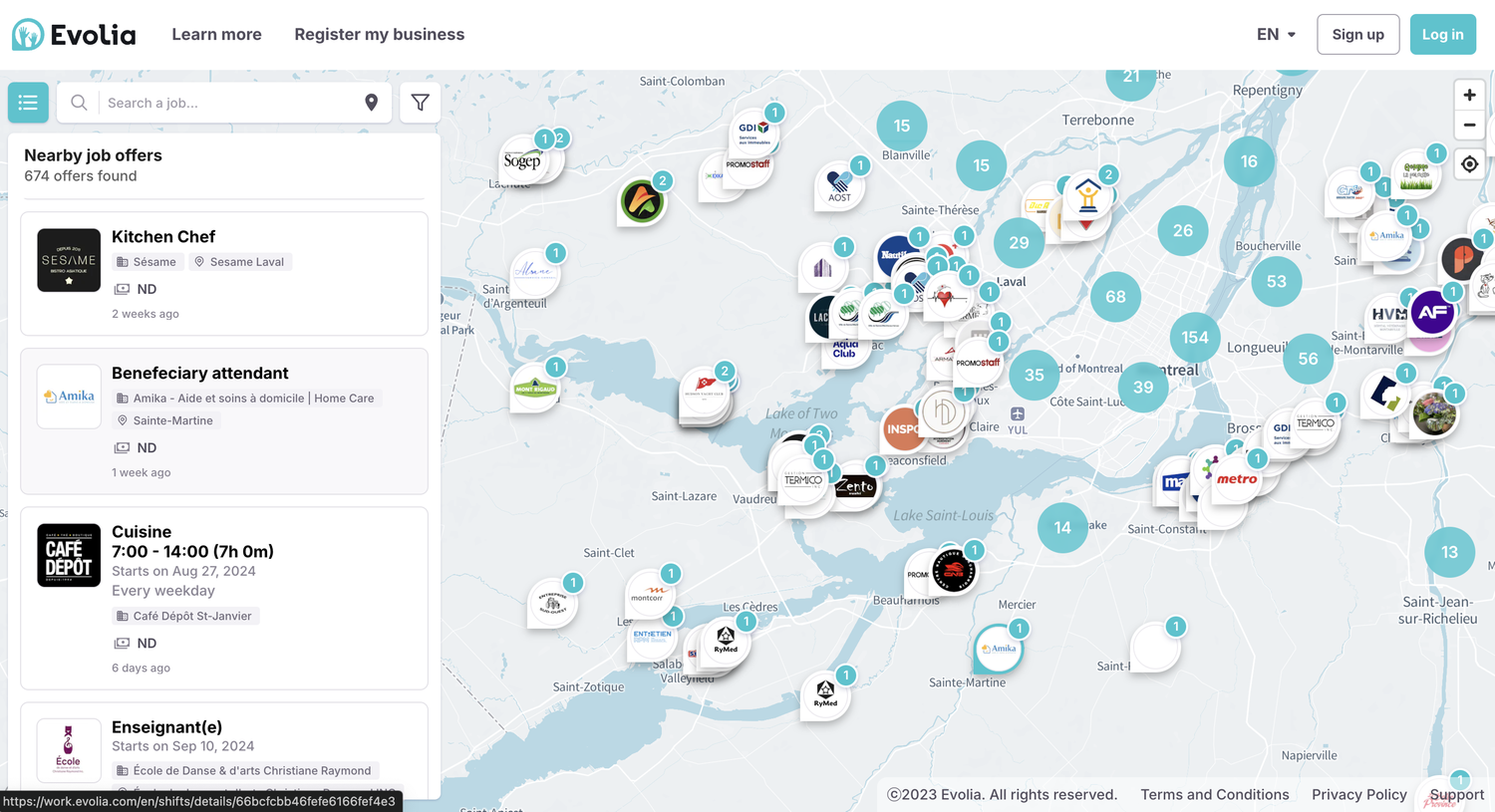
Try Shift-based recruiting and build your dream lineup. Don’t commit to filling full-time positions simply because people are readily available. Recruit the best employee for each shift and offer a flex schedule to boost engagement. This will ensure no shift is left unfilled.
SHIFT BASED RECRUITING
- NEW RESOURCES UNDER ONE ROOF: Recruit and assign new resources in the platform you are ‘at home with’.
- Get the right worker for every shift. Is that Friday night shift still up for grabs? Notify our talent pool. Thousands of workers from neighboring businesses are on the platform. Schedule people who are excited about their schedules. It makes for better business and experience for patrons. Put the right talent in the right seats. Collect candidates, unlock their profiles and hire the most qualified ones.
- ONE-CLICK POSTING: Posting a shift is just a simple step to add to your shift assignment flow.
- ENGAGED CANDIDATES: Keep transparency around hours you’re looking to fill and secure candidates who know what they are signing up for.
BUCKETS OF TALENT!
- Schedule the talent you need, when needed. Benefit from thousands of candidates who use Evolia to find their next shift. Our shift-based recruiting connects employers to share active workers with transferable skills seeking extra hours to get their desired payout. Call it scheduling adapted to the modern workspace.
- INCREASED VISIBILITY: Your likelihood of discovering a suitable candidate improves with each additional shift posting, as it garners more attention from external candidates and boosts your visibility.
- EFFORTLESS RECRUITING Seize control of your fulfillment process by directly publishing unfilled shifts to external candidates and enabling them to determine their own interest.
- INTEGRATED ONBOARDING: Upon hiring, easily assign your new recruit to their preferred shift with a simple click. If necessary, include them in an extra training shift to ensure their readiness.
FLEXIBLE SCHEDULING
- What’s more empowering than deciding when you work? Are you worried some shifts won’t get picked up? Enable employee mobility across business units, and send remaining time slots to our local workers pools. We won’t leave you hanging!
- EMPLOYEE MOBILITY: Enhance internal mobility with fallback rules so qualified employees can assist other units, maximizing their potential contributions.
- CASCADING SHIFT ASSIGNMENTS: Design intricate invitation flows that prioritize entitled employees without excluding external workers. Allow the flows to continue inviting available workers until all shifts are occupied.
- EMPLOYEE SELF-SCHEDULING: Are you confident in your team’s abilities? Release all available shifts to every qualified employee and empower them to select the shifts they are capable of fulfilling until the schedules are fully staffed.
Data Security
Evolia's team makes sure to stay up to date with cybersecurity's top requirements and best practices to help keep your employees safe and sound.
Connect Your Ecosystem
Avoid double-entries and costly data errors by leveraging our public API, various connectors and direct integrations to the most popular solutions.